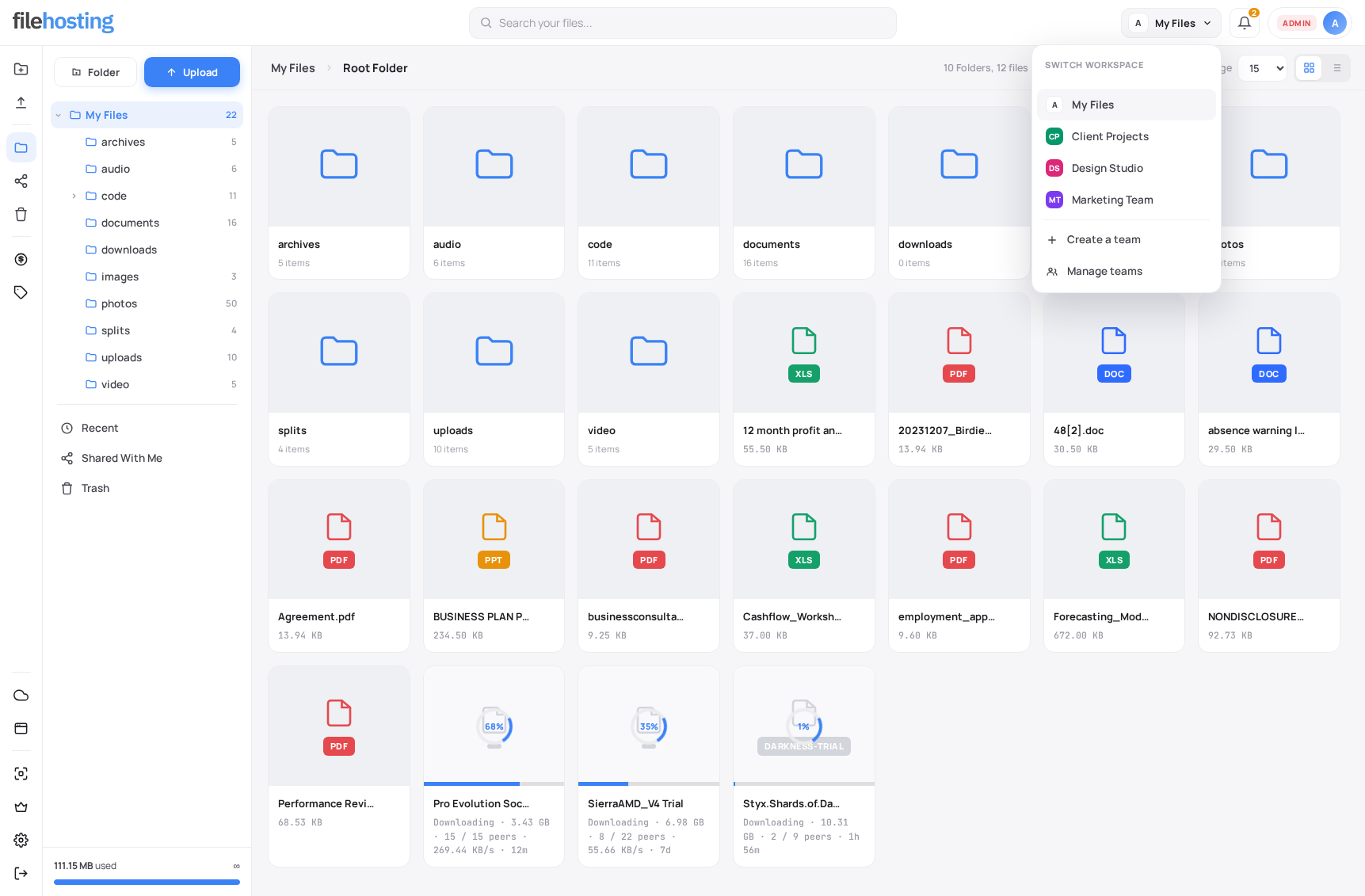
Give users shared file spaces alongside their personal My Files area. Yetishare 6.2 adds team workspaces to the Nova theme so agencies, client portals, and multi-user sites can collaborate in the same file manager users already know. Create teams, invite by email, assign roles, and switch workspaces from the topbar. No plugin required.
Personal + Team Files
-
Two workspace types
Personal files stay private. Each team gets a shared file tree for projects, clients, or departments.
-
Topbar workspace switcher
Jump between My Files and any team from the file manager, account settings, and other logged-in pages.
-
Clear context
The sidebar and breadcrumbs show the active team name so users always know which workspace they are in.
Create & Manage Teams
-
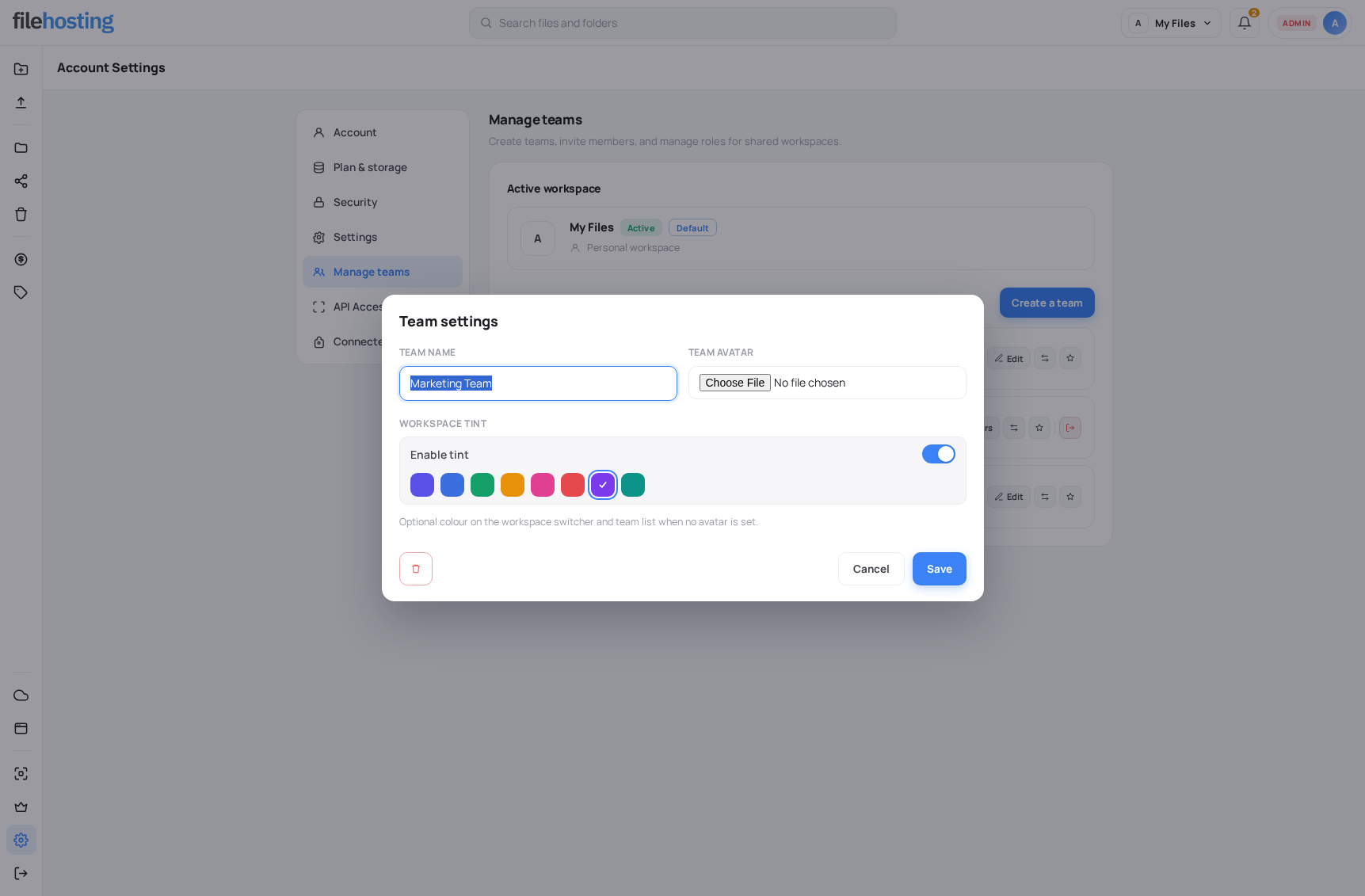
Manage teams in account settings
Create teams with a name, optional avatar, and workspace tint. Edit members, roles, and settings from a card-based team list.
-
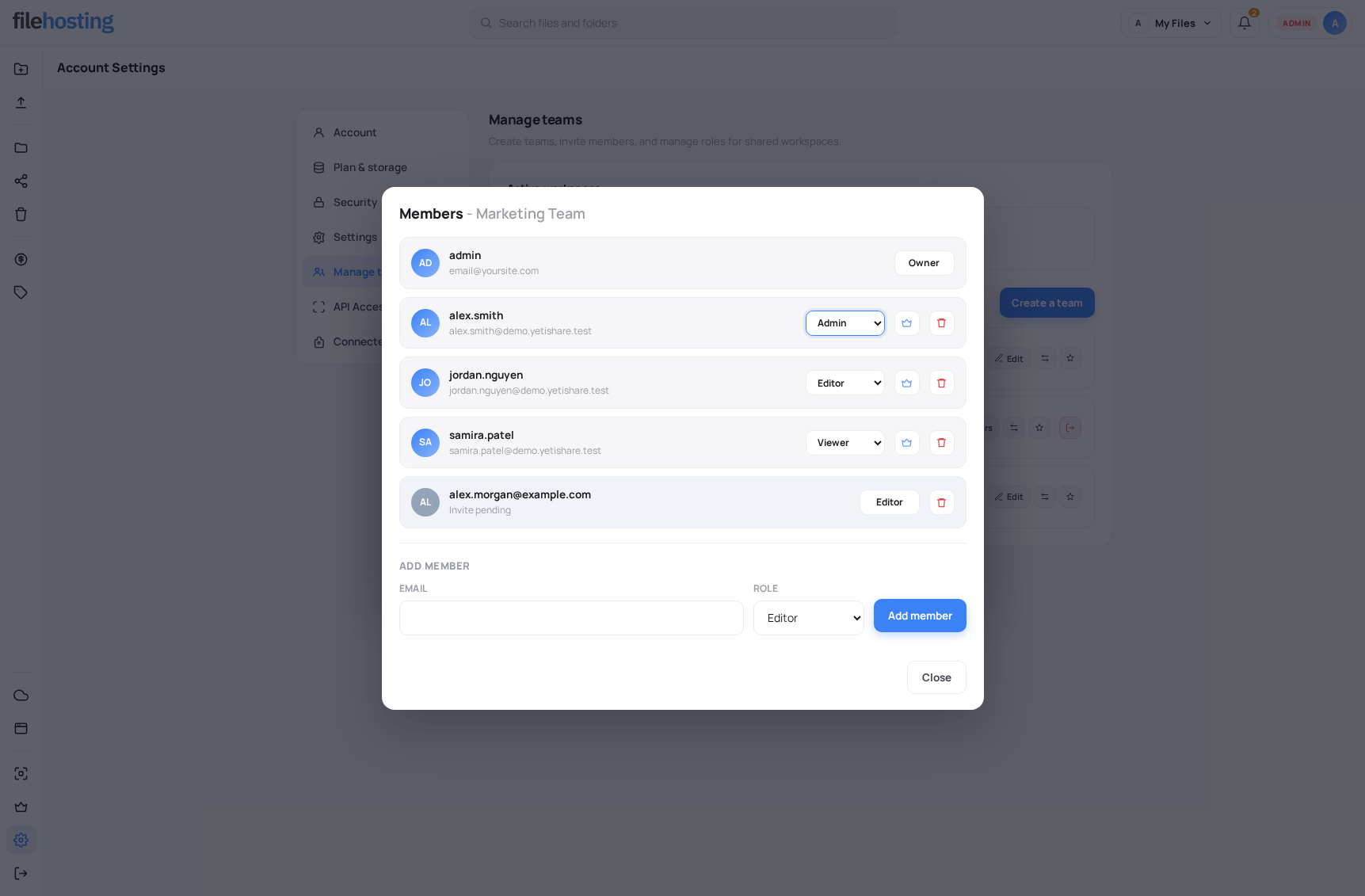
Invite by email
Send invites with admin, editor, or viewer role. New users register or log in through your site to accept.
-
Default on login
Set whether the file manager opens in My Files or a chosen team workspace when users sign in.
-
Ownership transfer
Transfer team ownership to another member when a project ends or handoff is needed.
Role-Based Access
-
Owner & admin
Full team control including settings, members, trash management, and permanent delete.
-
Editor
Upload, organise, move, copy, trash, and restore any team item.
-
Viewer
Read-only browse, preview, and download. Upload and manage actions stay hidden.
-
Storage on the owner
Uploads and copy-to-team operations use the team owner's storage allowance and plan limits.
Cross-Workspace Files
-
Move between workspaces
Team owners move files and folders between personal My Files and team workspaces from the move dialog.
-
Copy into teams
Copy content from elsewhere in the account into a team workspace, subject to role permissions.
-
Billing follows ownership
When ownership transfers in Nova or admin, content and billing move to the new owner including trash.
Admin Control
-
Enable when ready
Teams are disabled by default after upgrade. Turn them on in Configuration when your site is ready.
-
Package limits
Control which user types can create teams, how many they may own, and member caps per team.
-
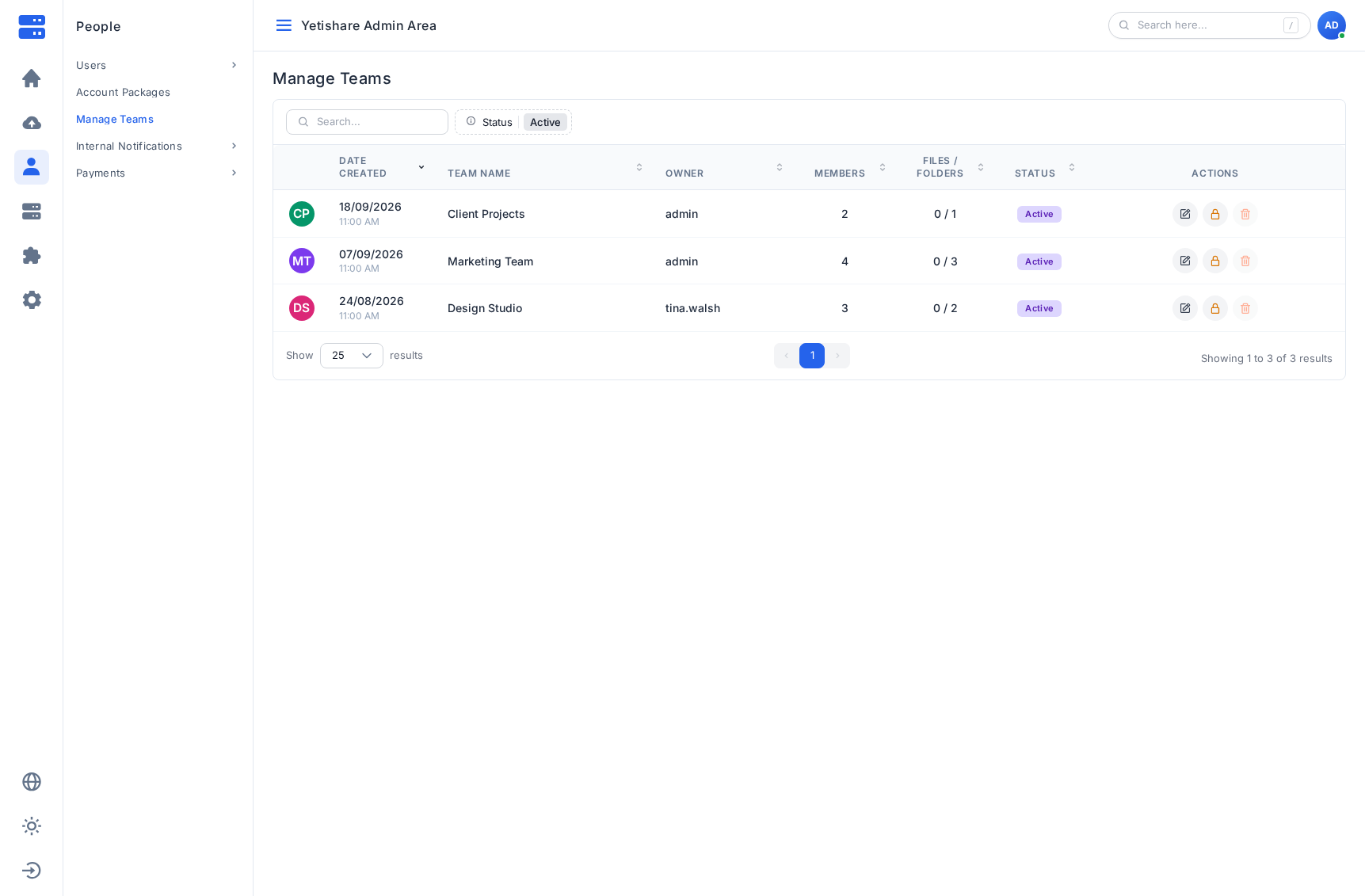
Manage all teams
Search teams under People, view file counts, suspend teams, edit members, reassign owners, and remove empty teams.
-
Audit logging
Team create, invite, role change, and ownership transfer actions are recorded in user action logs.
Built For
-
Agencies & client portals
One workspace per client. Editors upload deliverables; clients get viewer access.
-
Internal departments
Marketing, finance, or ops teams share folders without mixing personal uploads.
-
Premium multi-user plans
Offer team creation on paid packages with team and member limits you control.