Plugin Overview
Let your users download torrent contents directly into their account. The Torrent Download plugin integrates with Transmission or uTorrent so downloads are managed in the background whilst users enjoy a seamless experience on your site.
Torrent & Magnet Support
-
Uploader Integration
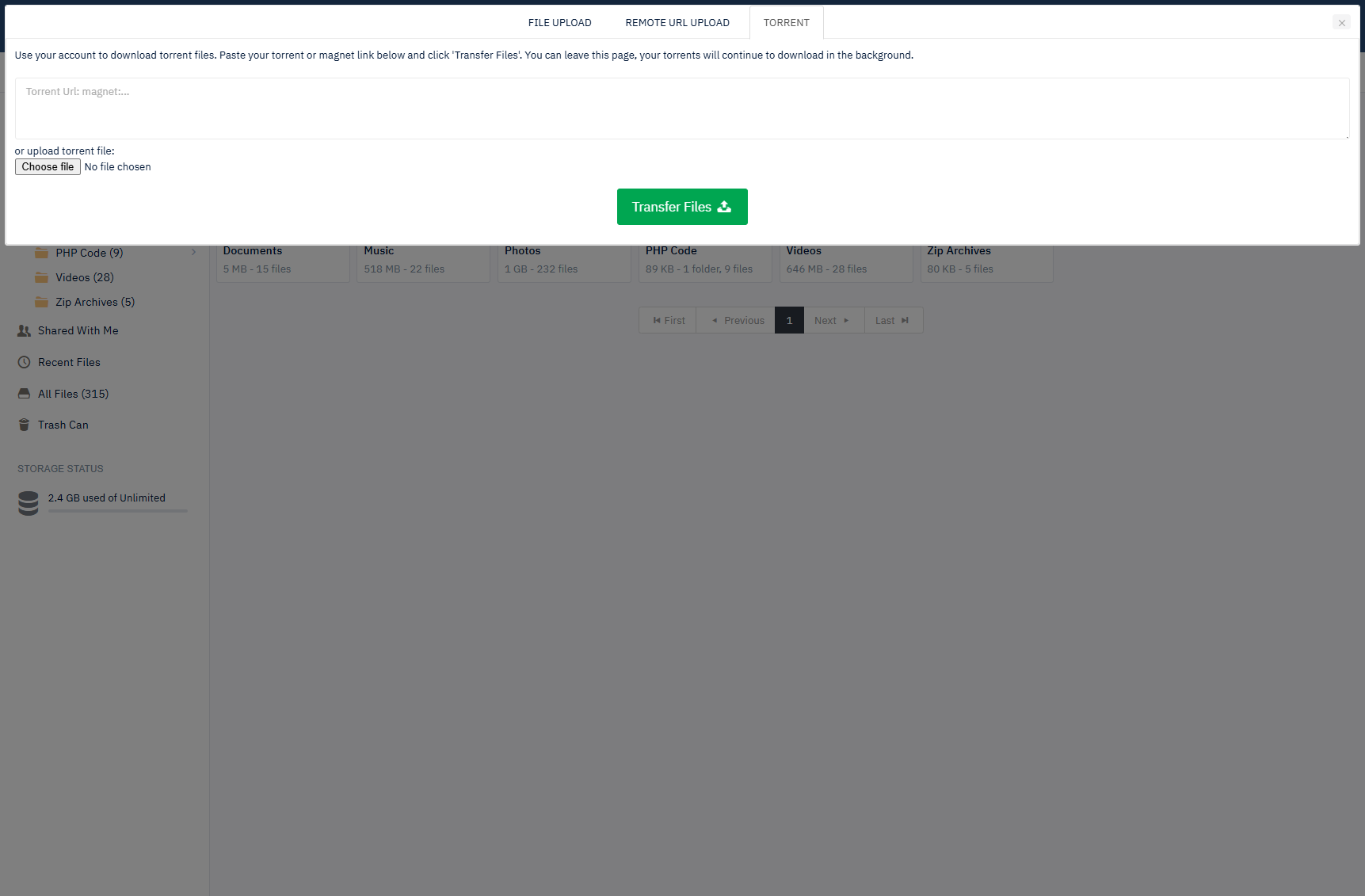
A new tab on the file uploader popup lets users add torrents via .torrent files or magnet links.
-
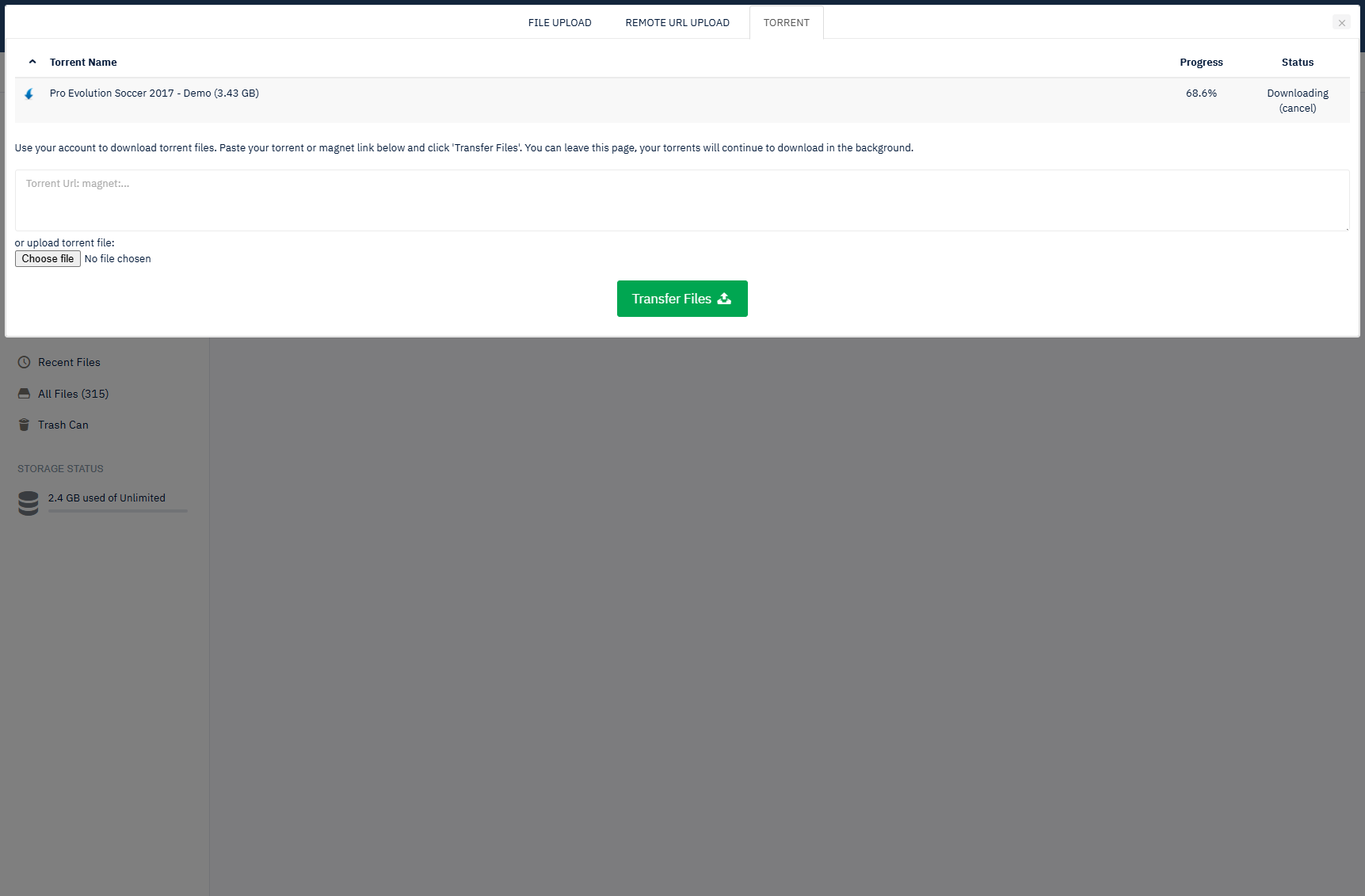
Live Progress
Users see download progress on screen and can leave the site and return at any time to check status.
-
Automatic Filing
Completed torrents are moved into the user's account in a sub-folder named after the torrent.
Access & Limits
-
Paid or Free Users
Choose whether only paid users can use torrents or allow both free and paid users.
-
Account Limits
Existing account max storage and max upload size apply to torrents for consistent policy.
-
User Control
Users can cancel downloading torrents and clear completed torrents from their account.
Torrent Engine
-
Transmission or uTorrent
Use Transmission or uTorrent on your server to handle the actual downloading in the background.
-
Sync & Cron
A cron task keeps Yetishare in sync with your chosen torrent engine.
-
Secure Configuration
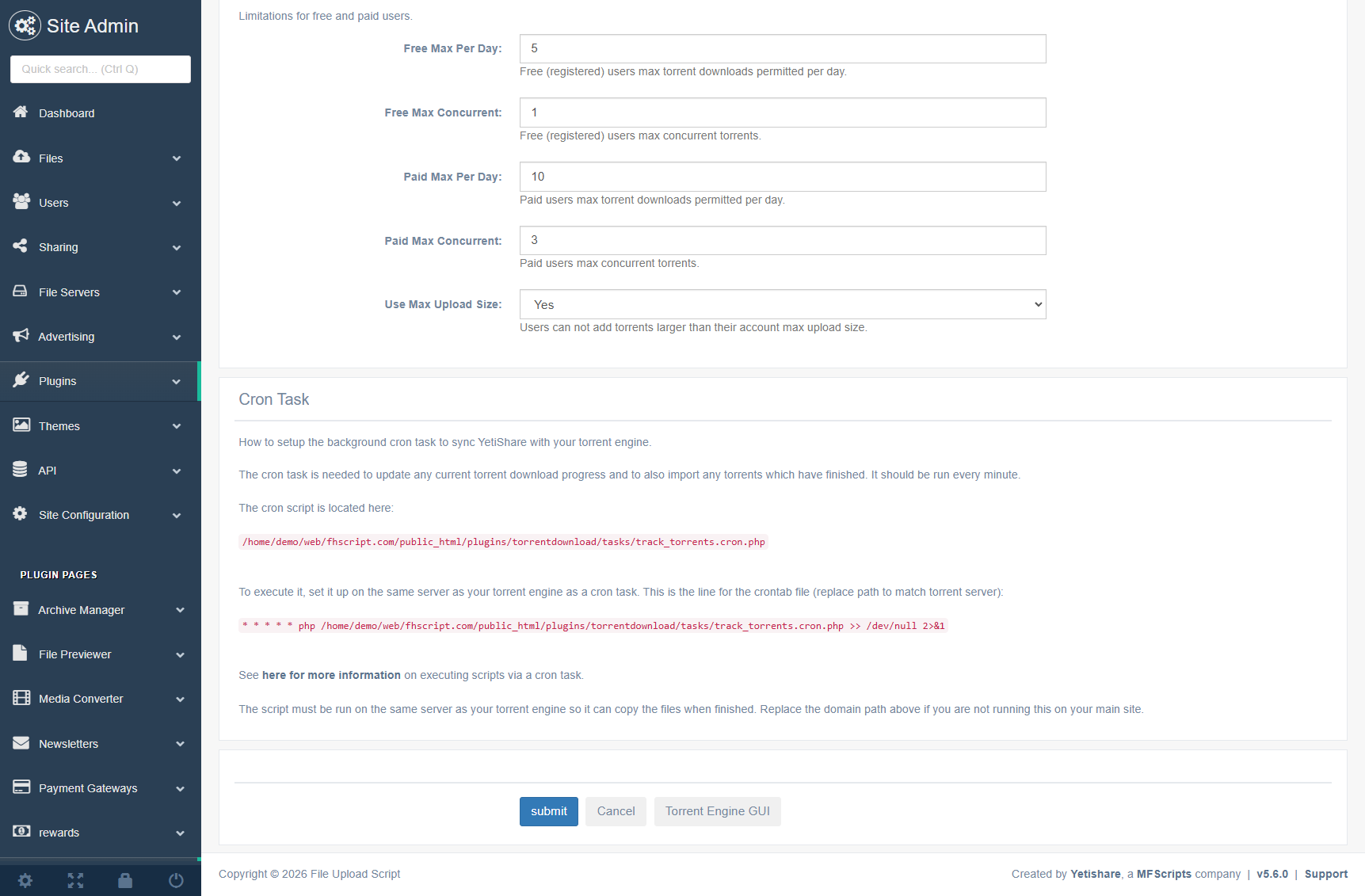
Configure host, port, username and password for your torrent engine from the admin.
Admin Oversight
-
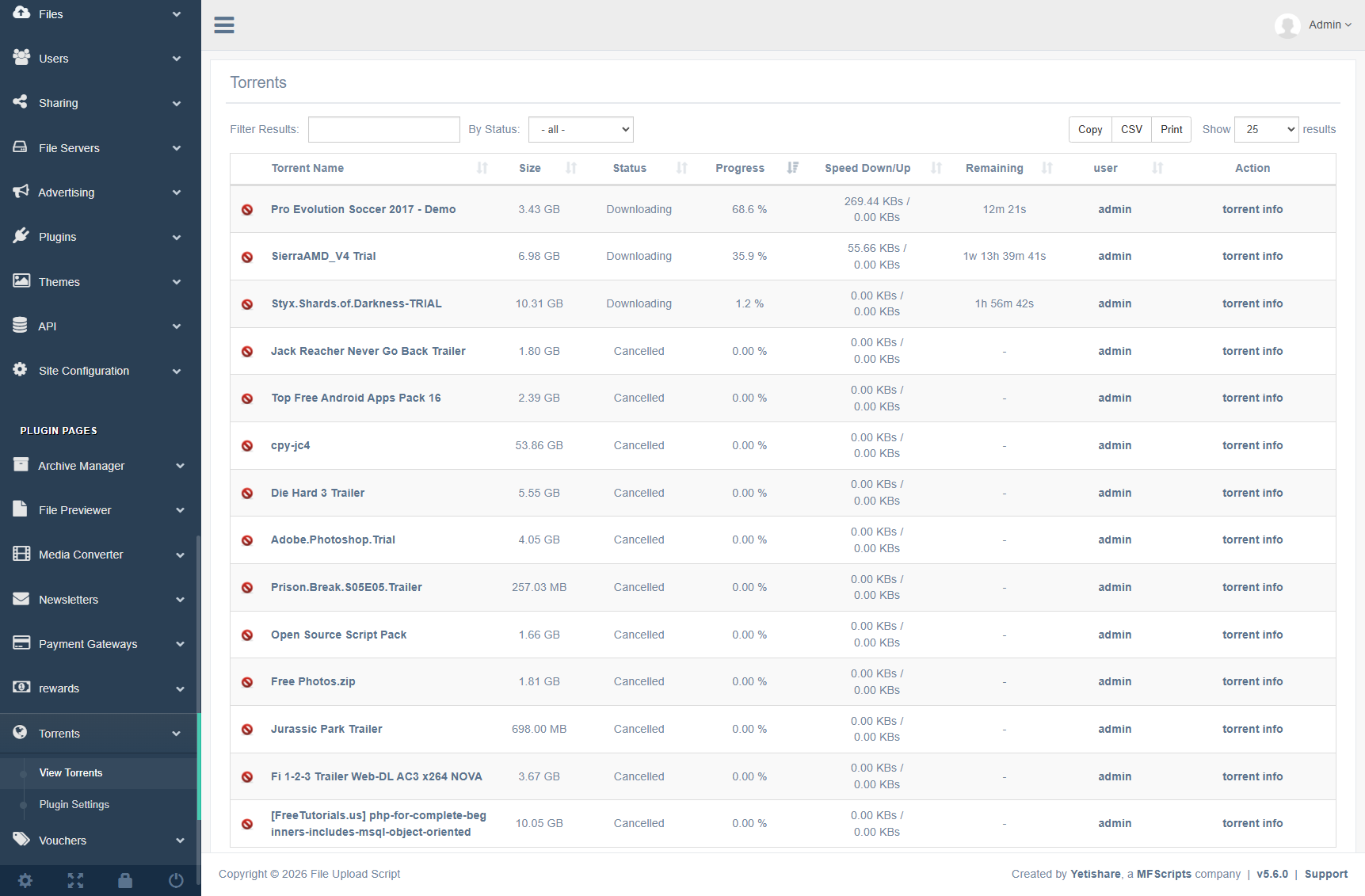
Torrent List
View all downloading torrents with owner, percentage downloaded and upload/download speed.
-
Filter & Cancel
Filter by status or torrent name and cancel pending torrents when needed.
-
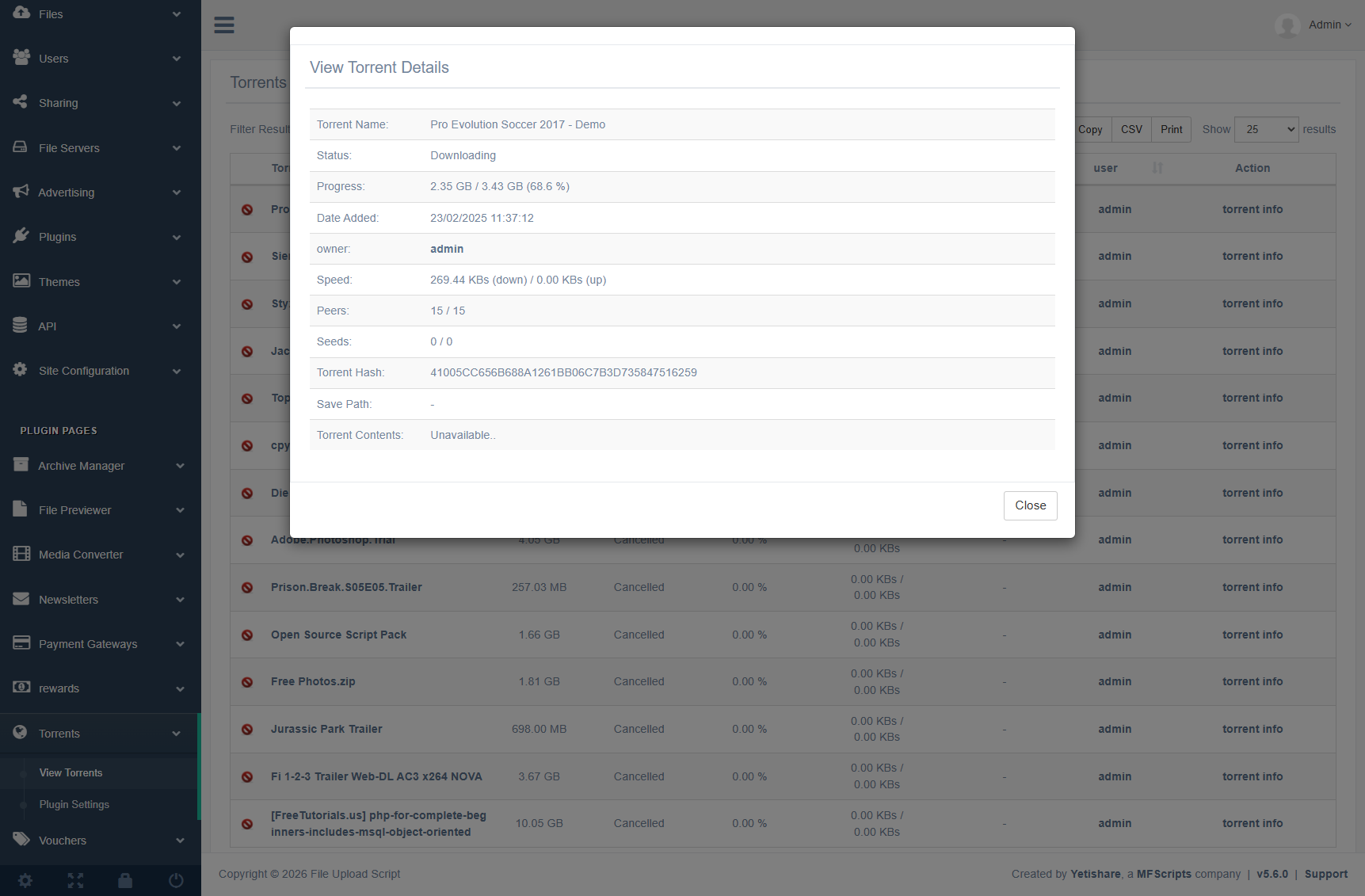
Details Popup
View torrent details including contents in a popup for full visibility.
Site Features
Front-end changes that your users will see when using the Torrent Download plugin.
- New tab on the file uploader popup with option to add torrent.
- Support for both .torrent files and magnet links.
- Progress shown to user on screen as torrent downloads.
- User can leave the site and come back at any stage to see progress.
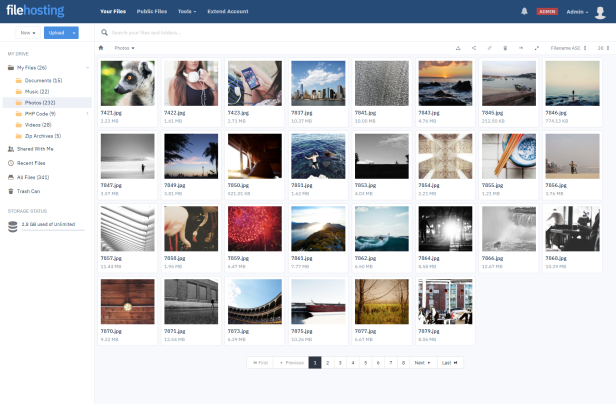
- Once a torrent has downloaded, it's moved into the users account in a sub-folder named the same as the torrent.
- Option to allow just paid users access or free and paid users.
- User can cancel downloading torrent via their account.
- User can clear completed torrents via their account.
- Limitations of account max storage and max upload size apply to torrents.
- Peer information to users torrent download page.
- Link for user to cancel downloading torrent.
- Link for user to clear completed torrent.
- Added peer information to users torrent download page.
Admin Features
Administrative tools and configuration for the Torrent Download plugin.
- New Admin Page:
- View list of downloading torrents including the account owner, percentage downloaded and speed up/down.
- Filter torrents by status/torrent name.
- Option to cancel pending torrent.
- View torrent details popup, including torrent contents.
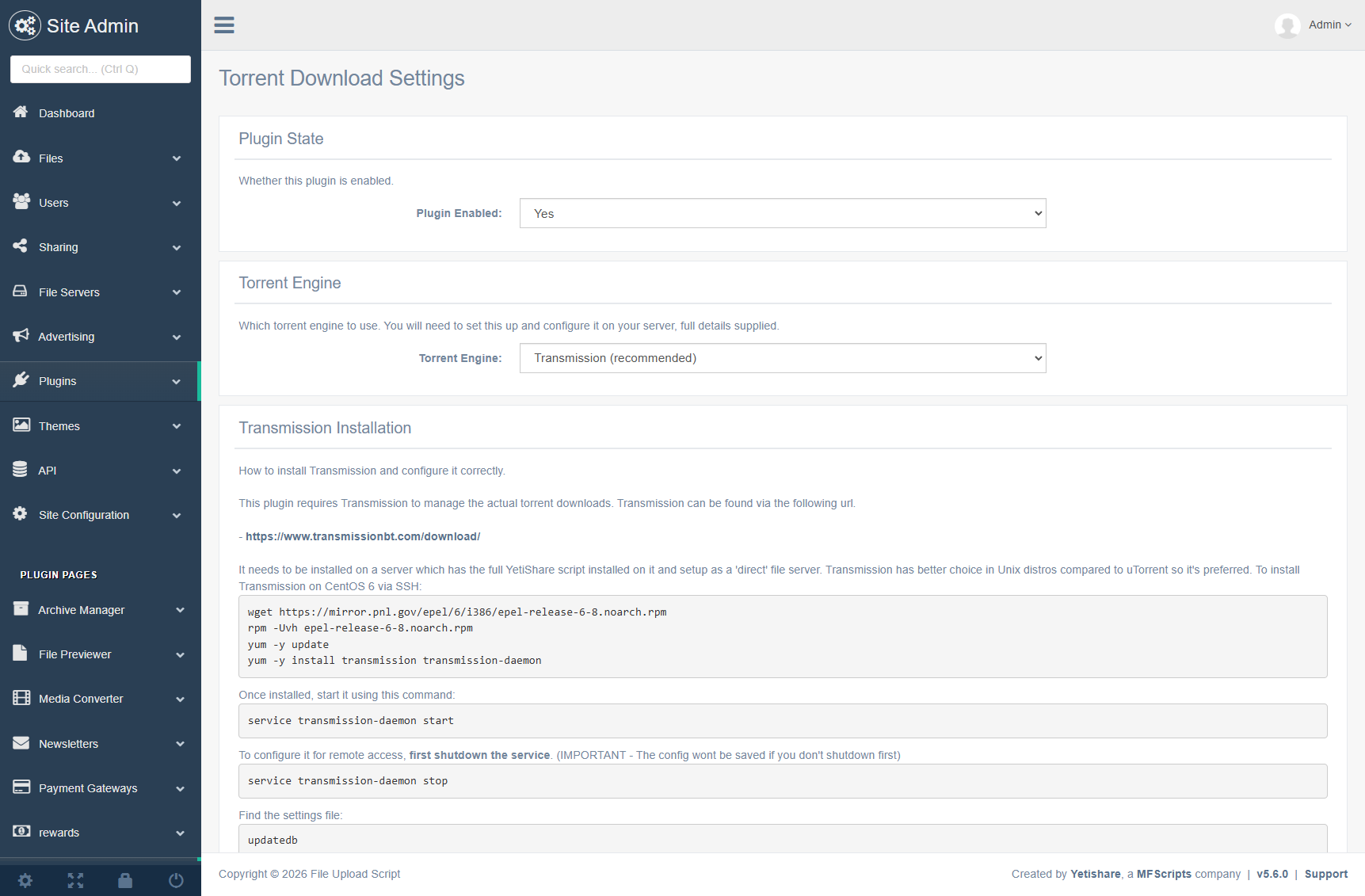
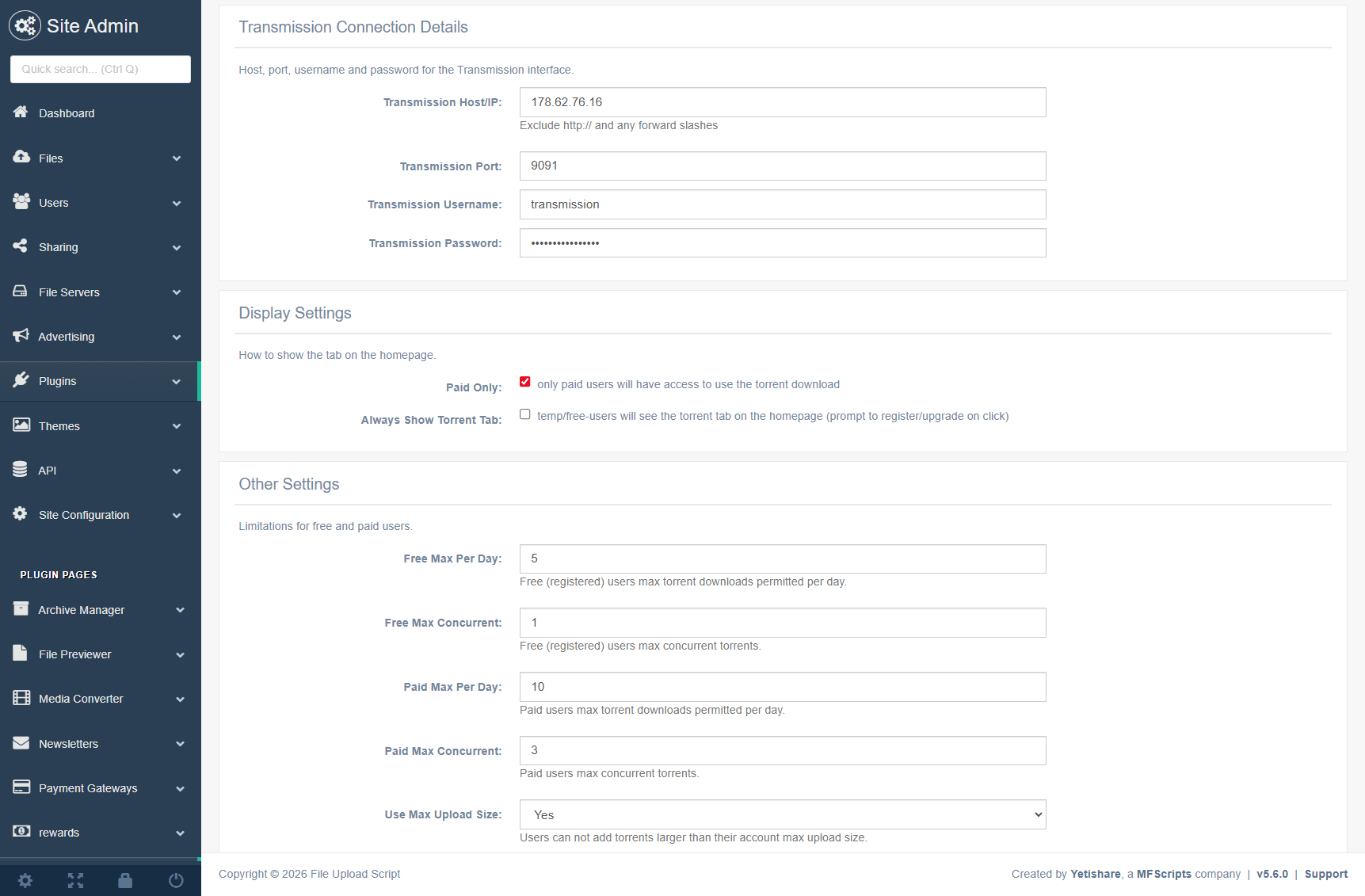
- Plugin Configuration:
- Torrent engine Host/IP, port, username and password.
- Option to show to only paid users.
- Set free & paid users max torrents per day.
- Set free & paid users max concurrent active torrents.
- Cron task to manage the synchronization between Transmission/uTorrent and Yetishare.
- Use Transmission instead of uTorrent as the torrent engine.
- Limitations of account max storage and max upload size now apply to torrents.
- Now choose between Transmission or uTorrent as your torrent engine.
Screenshots
Torrent Download Plugin Plugin Demo
Use the sections below to see a fully functional demo of the plugin.
Plugin Requirements
The following requirements are needed for the Torrent Download Plugin plugin to function correctly.
- Linux server (or VPS) with root access.
- Transmission (https://transmissionbt.com) or uTorrent (https://www.utorrent.com/downloads/linux) to handle the torrents.
Important: This plugin is supplied for use with downloading legal content. As with all our scripts, it should not be used, or promoted for use, with downloading illegal or copyrighted content. You should make every effort to block users who illegally download content and remove any offending files.