Plugin Overview
Give your users the power to create and extract ZIP and RAR archives, and split large files into manageable chunks, all without leaving their account. The Archive Manager plugin integrates seamlessly into your file manager and runs compression and extraction in the background.
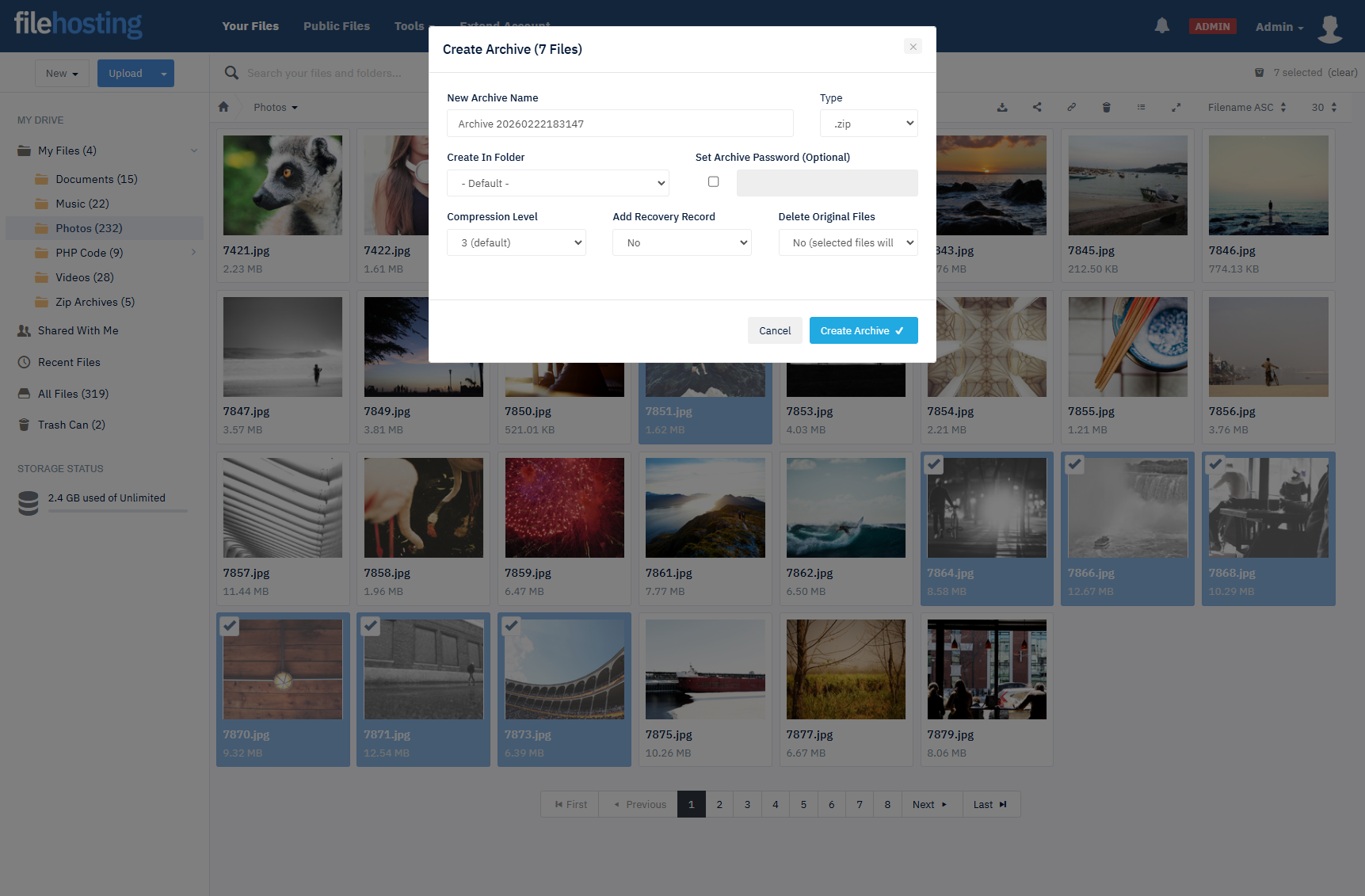
Create Archives
-
Add to Zip or RAR
Users choose archive name, type (ZIP or RAR), destination folder, optional password, compression level, and recovery record. Option to delete originals after compressing.
-
Background Processing
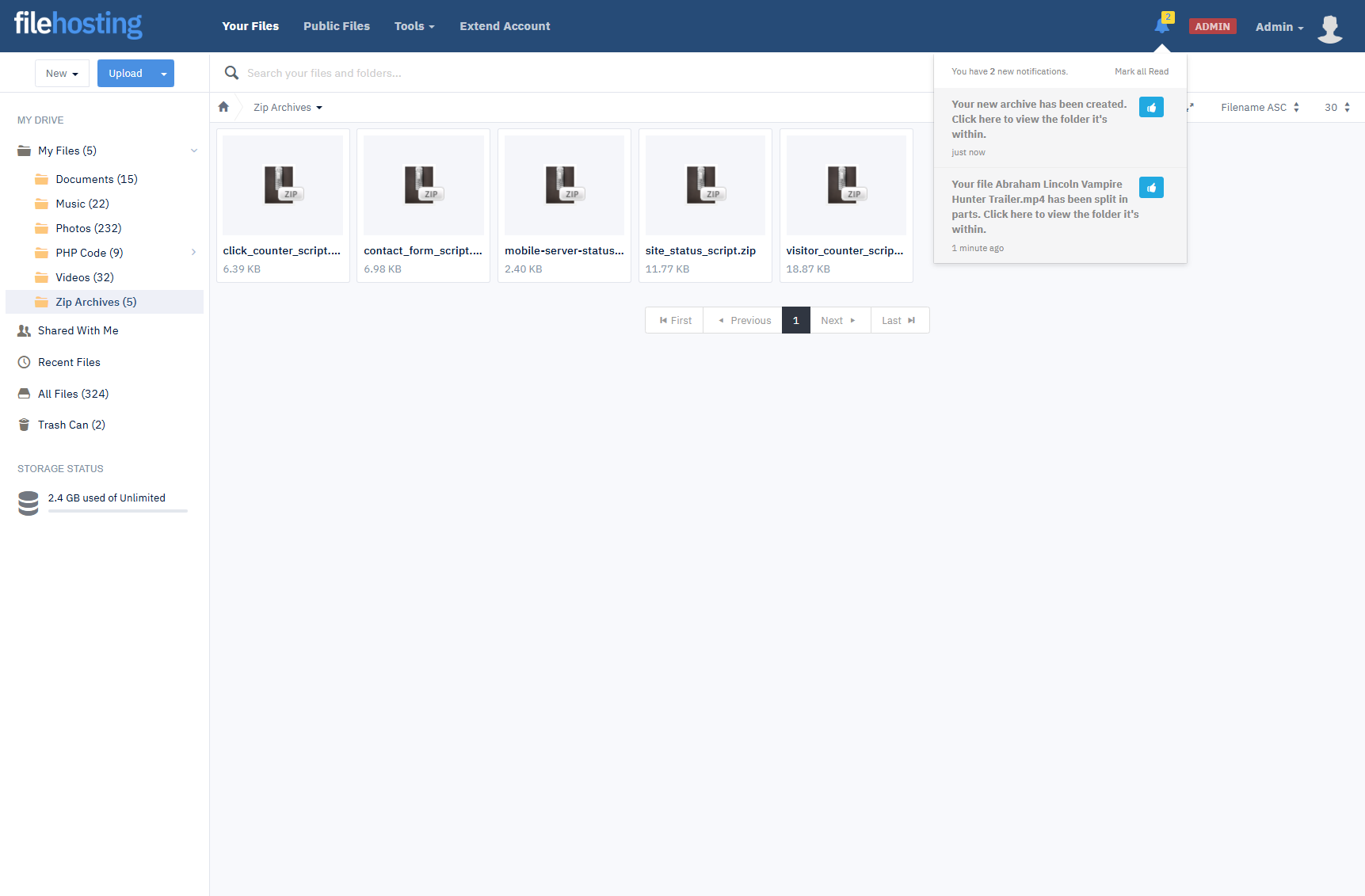
Compression jobs are queued and processed in the background; users are notified in their account when each job finishes.
Extract & Split
-
Extract Files
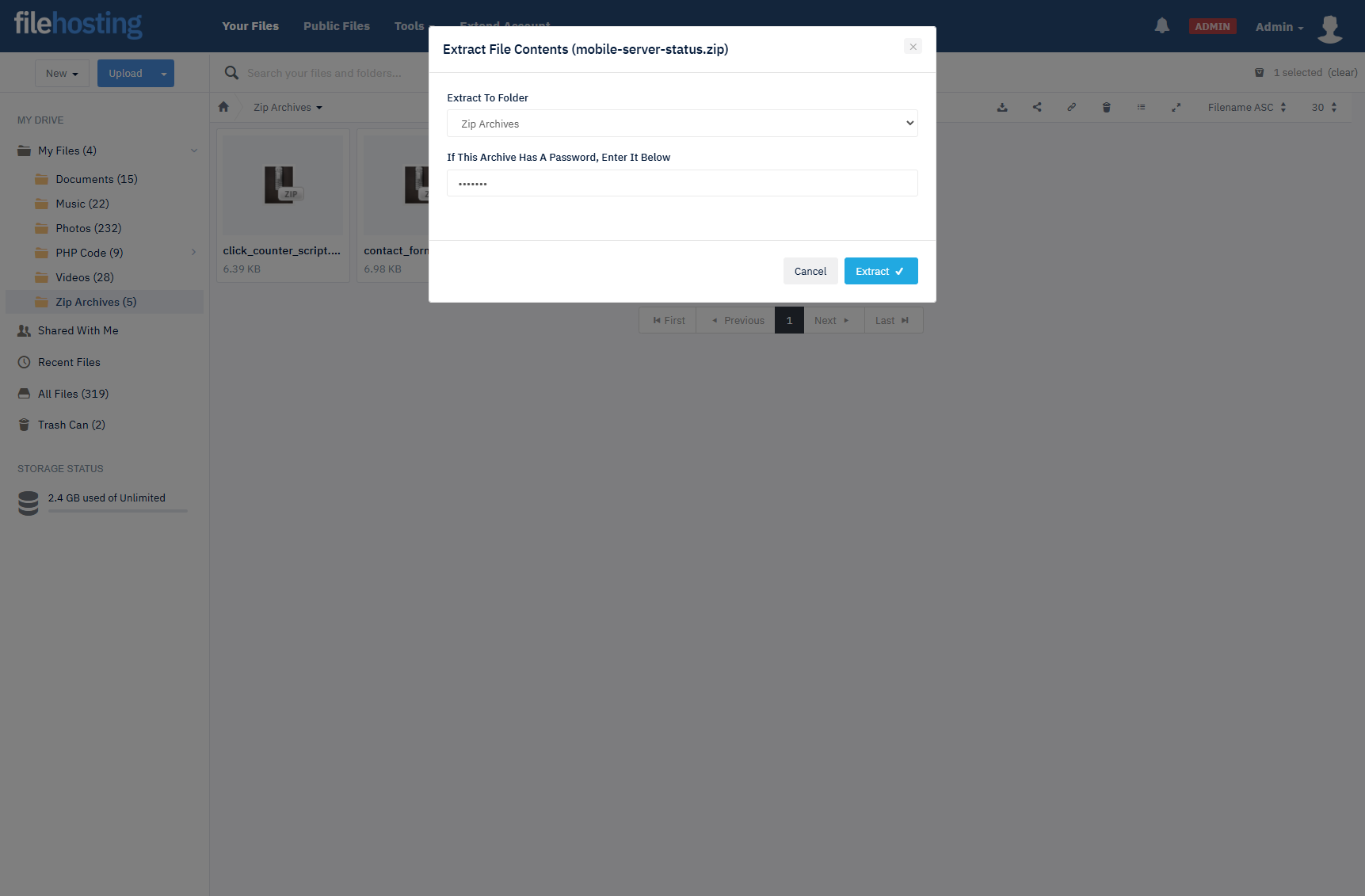
Choose folder to extract to and enter the archive password when required. Supported formats include ZIP and RAR.
-
Split Large Files
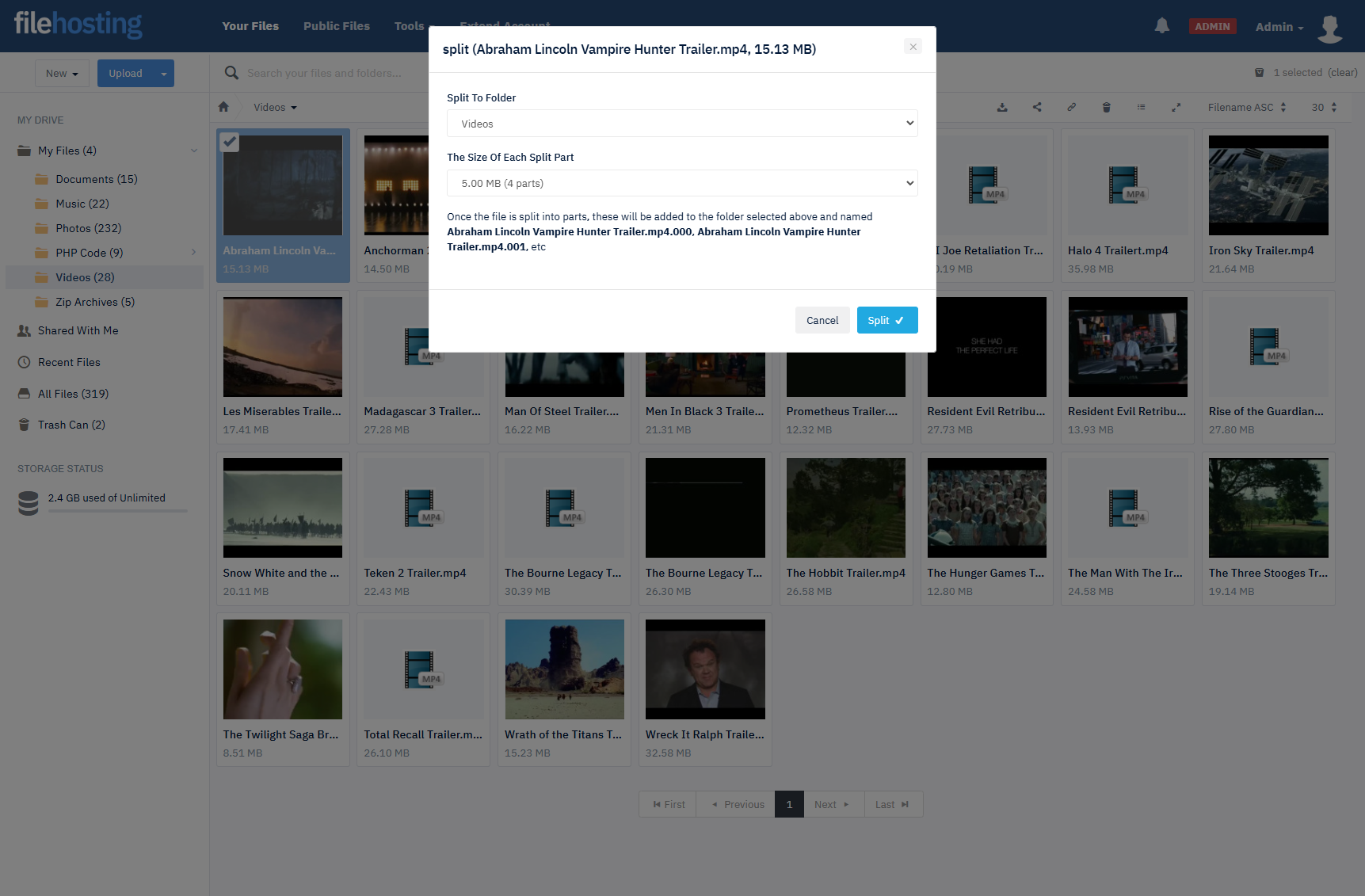
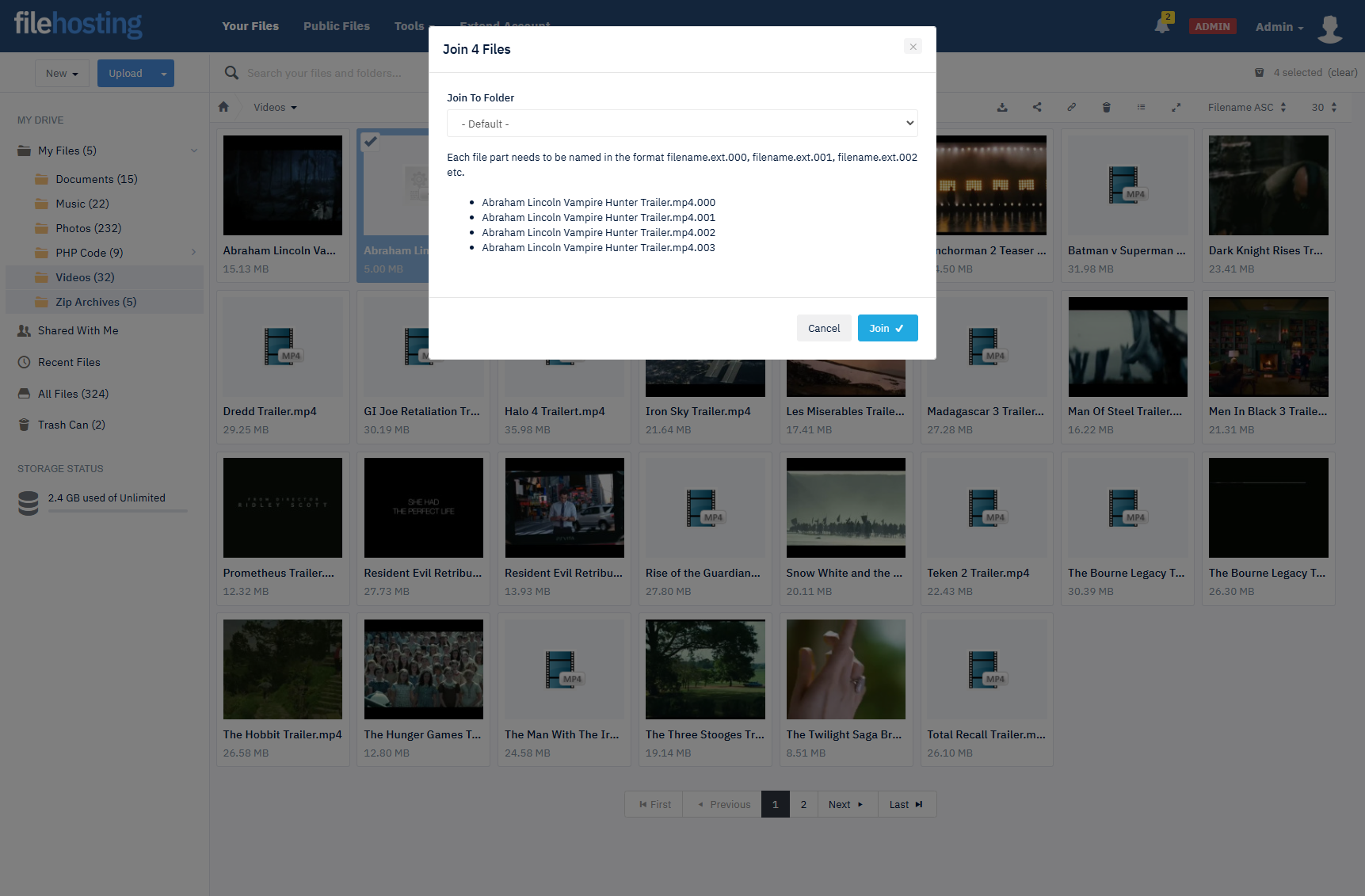
Split files into equal-sized chunks (e.g. file.zip001, file.zip002) with a user-defined chunk size and destination folder.
Integrated Experience
-
Right-Click Context Menu
Add to Zip/Rar, Extract Files, and Split File are available from the file manager context menu for a familiar workflow.
-
In-Account Notifications
Users stay informed when background archive jobs complete, without leaving the site.
Admin Control
-
Plugin Settings
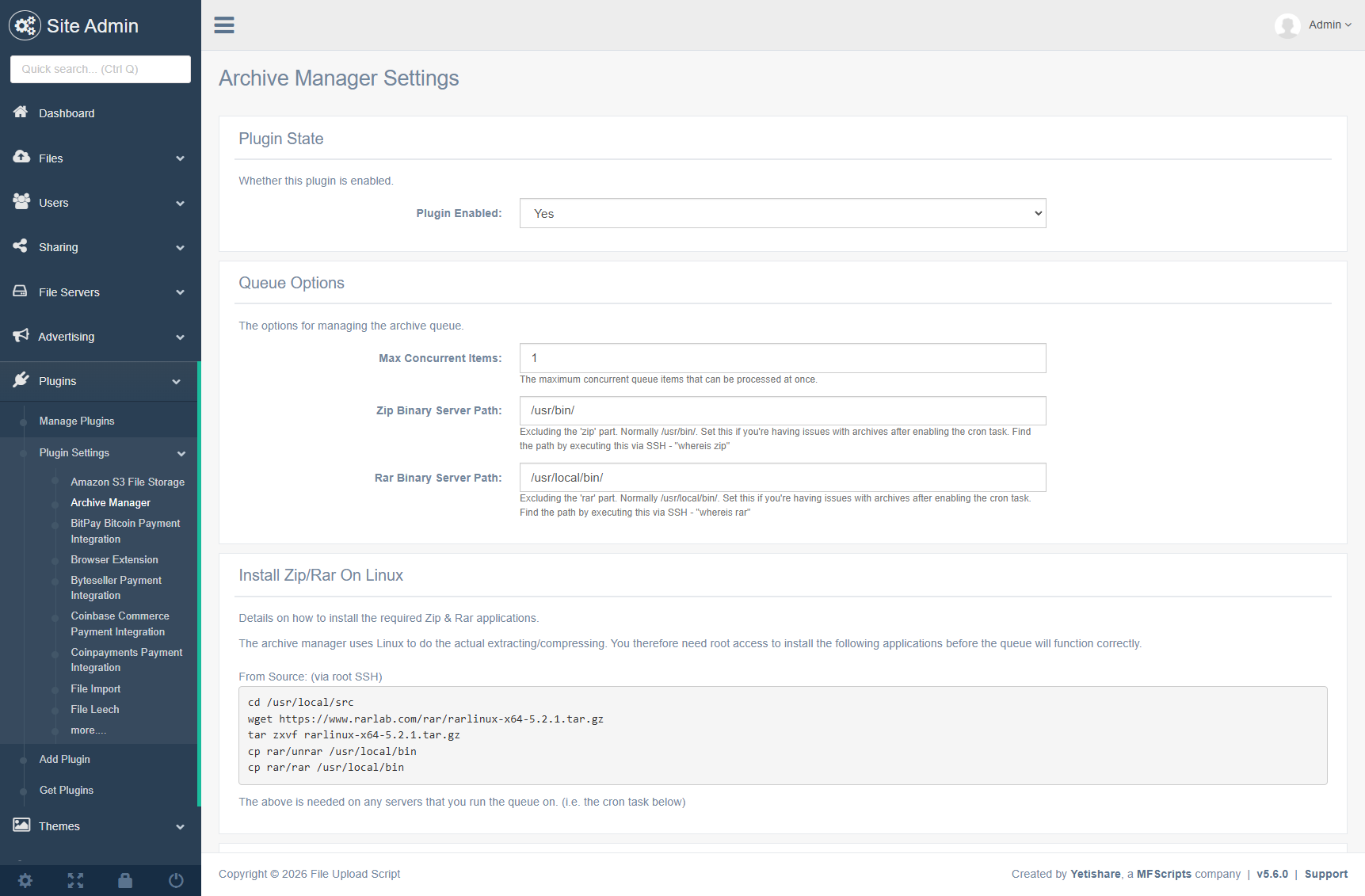
Configure concurrent items in the background extract/compress queue from a dedicated settings page.
-
Queue Management
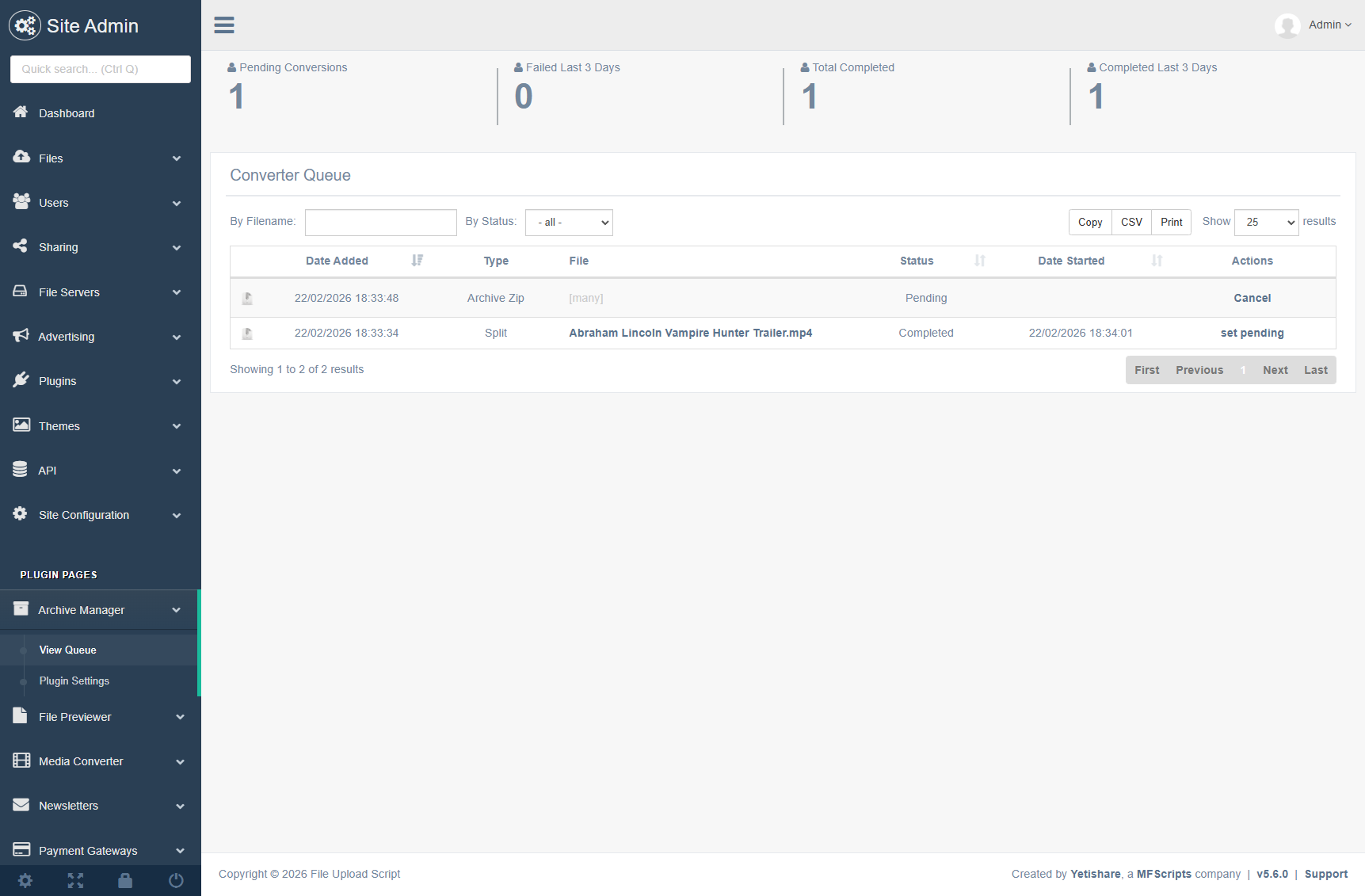
View previous and pending queue items on a dedicated admin page for full visibility and control.
Site Features
Comprehensive front-end features that enhance user experience and engagement.
- Integrated into the users file manager in the right-click context menu.
- Menu option to "Add To Zip/Rar":
- Set new archive name.
- Type (zip or rar).
- Which folder to create it within.
- Optionally set an archive password.
- Compression level.
- Add recovery record, if supported.
- Option to delete the original files once compressed.
- Once submitted the add to archive is queued and managed via a background process. The user is informed within their account once the job is finished.
- Menu option to "Extract Files":
- Choose folder to extract to.
- Enter the archive password to access, if one is set.
- Menu option to "Split File":
- Choose folder to split into.
- Choose the size of each chunk.
- Split files will be named file.zip001, file.zip002 etc.
Admin Features
Powerful administrative tools for managing the Archive Manager plugin.
- New admin page to set the plugin settings.
- Set the concurrent items to process in the background extract/compress queue.
- New admin page to view any previous or pending queue items.
Screenshots
Archive Manager Plugin Plugin Demo
Use the sections below to see a fully functional demo of the plugin.
Plugin Requirements
The following requirements are needed for the Archive Manager Plugin plugin to function correctly.
- ZIP & RAR must be installed on your server in order to use this plugin. Please ensure you have them working before purchasing. Root SSH access may be needed to install these.