Yetishare v6.2 Is Here: Team Workspaces, AI File Access, and Direct Cloud Uploads
Yetishare v6.2 is out now, built around three features people keep asking for: team collaboration, work with your files via AI, and upload files directly to S3 cloud providers.
As always, free upgrades are available to all existing Yetishare customers. Download the latest release from your account area and follow the upgrade guide in /install.
Want to explore before you upgrade? The live demo has v6.2 enabled: https://fhscript.com/ (log in with admin / Password@Demo to try the file manager).
Work together with Team Workspaces
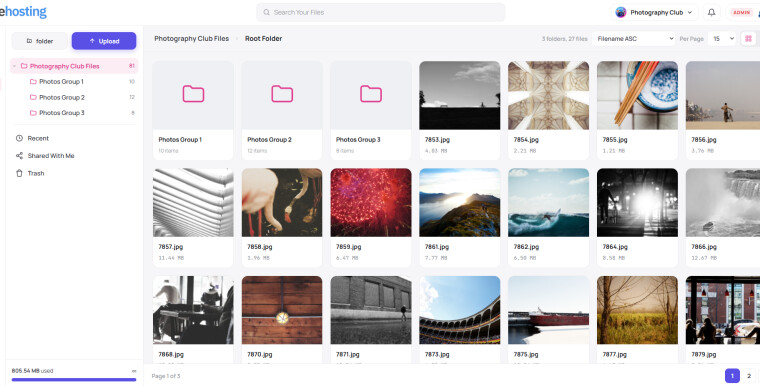
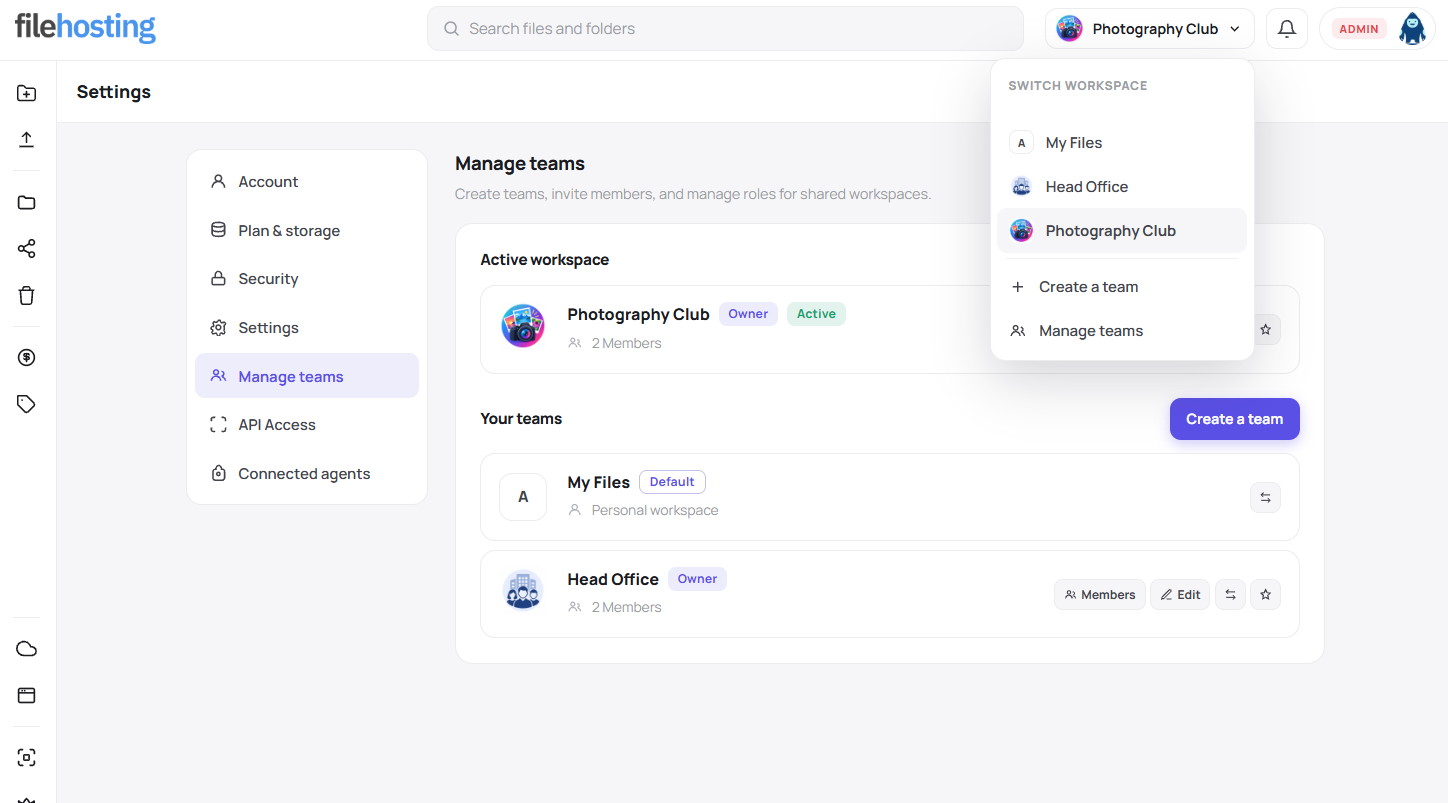
The headline feature in v6.2 is team workspaces in the Nova theme. Instead of everyone juggling personal accounts and folder sharing, your users can now:
- Create a team and invite members by email
- Switch between personal and team files from a workspace switcher in the top bar
- Set roles so the right people can view, edit, or fully manage team content
- Copy files between personal and team spaces when someone needs to move work across
- Choose a default workspace so they land in the right place every time they log in
Team owners get a clear picture of who is on the team, who has been invited, and who is responsible for storage. Uploads to a team workspace count against the team owner's plan, which keeps billing straightforward for resellers and premium packages.
On the admin side, you can enable teams site-wide, set invite expiry and member limits, and manage teams under People -> Manage Teams - search, suspend, edit members, or remove empty teams.
Talk to your files with AI assistants
v6.2 adds an MCP server so popular AI assistants - including Claude Desktop and Cursor - can connect to a user's files and act on them in plain language.
From Account Settings -> Connected agents, users can:
- Create scoped access tokens with the permissions they are comfortable granting
- Copy a ready-made client configuration snippet
- Revoke access at any time
Once connected, an assistant can help with everyday file tasks: finding files, uploading, organising folders, and working with shares - without the user clicking through the file manager for every step.
Site owners control the feature from the admin area: turn the MCP server on or off, set rate limits, and define sensible defaults for token expiry and upload sizes. See an example via Cursor below:
Upload straight to the cloud
If you use S3-compatible plugins like Amazon S3, Wasabi, Backblaze B2, DigitalOcean Spaces, Filebase, MinIO, Contabo, or the new Cloudflare R2 plugin - v6.2 supports direct-to-cloud uploads.
Files go from the user's browser to your storage bucket without passing through your web server first. That means:
- Faster uploads for large files
- Less load on your origin server
- Smoother scaling as upload volume grows
The cloud storage functionality is available via separate plugins to the main core Yetishare script.
Smaller improvements that add up
Alongside the big features, v6.2 includes plenty of polish your users will notice:
- Thumbnails that feel alive - a loading spinner while previews generate
- Smarter share links - guest downloads now properly respect "require account to download" settings
- FTP Upload plugin improvements for aaPanel hosting environments
- WebDAV fix for PHP-FPM and cPanel setups
Release notes
You can find the full release notes below:
If you missed v6.1
Still on v6.0? v6.1 landed a few months ago with its own set of useful upgrades worth catching up on:
- Copy to account - users can save shared files and folders straight into their own storage
- Better sharing and downloads - zip bundles, guest download rules, and folder sharing all behave more predictably
- In-admin upgrade wizard
- Single-page plugin upgrades
- Richer API - registration, password reset, sharing, bulk file actions, and improved folder listings for integrators
- Redesigned install wizard
- Updated CoinPayments gateway alongside the legacy option
v6.1 is included in the same free upgrade path, so moving straight to v6.2 gets you everything in one go.
Try it today
Head to the demo and click around:
View the demo teams, switch workspaces, browse the refreshed account settings, and see how Nova feels with v6.2. When you are ready, grab the update from your Yetishare account - it is included if you're within your script support period.
Questions about upgrading or enabling teams on your package tiers? Drop us a line through the usual support channels - we are happy to help you get set up.